Get Started
This guide shows you how to sign in, add NEAR if needed, and rent your first account.
Choose How to Sign In
Open NEAR Accounts and choose Sign In.
Sign In With a NEAR Wallet
Choose Continue with NEAR, select your wallet, and approve the request. The account in that wallet becomes your ownership account. It will control the names you rent.
Sign In With Fast-auth (Coming Soon)
Fast-auth sign-in is coming soon. For now, use a NEAR wallet to create and control your ownership account.
Fund Your NEAR Account
You can pay by card when you rent an account for one year. Longer rentals and marketplace purchases require NEAR, so add NEAR to your account first.
- Open your account menu or Portfolio.
- Copy the complete name of your ownership account.
- Send NEAR to that account from another wallet or a supported exchange.
- Wait for the balance to appear, then return to checkout.
Check the account name and network before sending. A transfer sent to the wrong account or network cannot be reversed.
Rent a Name
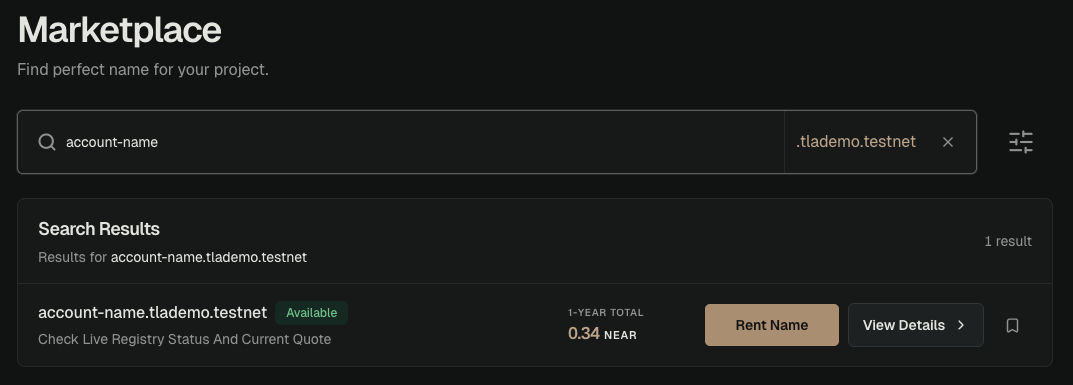
- Find a name. Search for the complete name you want, such as
alice.degen, or browse the Marketplace. - Choose Rent Name. Open an available result and select the rental option.
- Choose a rental period. Select 1, 2, 5, or 10 years.
- Review the price. Check the full name, rental period, live price, and total.
- Sign in, if needed. If you are not already signed in, sign in and finish creating your NEAR account before you pay.
- Choose how to pay. Pay with a NEAR wallet or, for an eligible one-year rental, a card.
- Approve the rental. Wait for the rented account to appear in Portfolio.
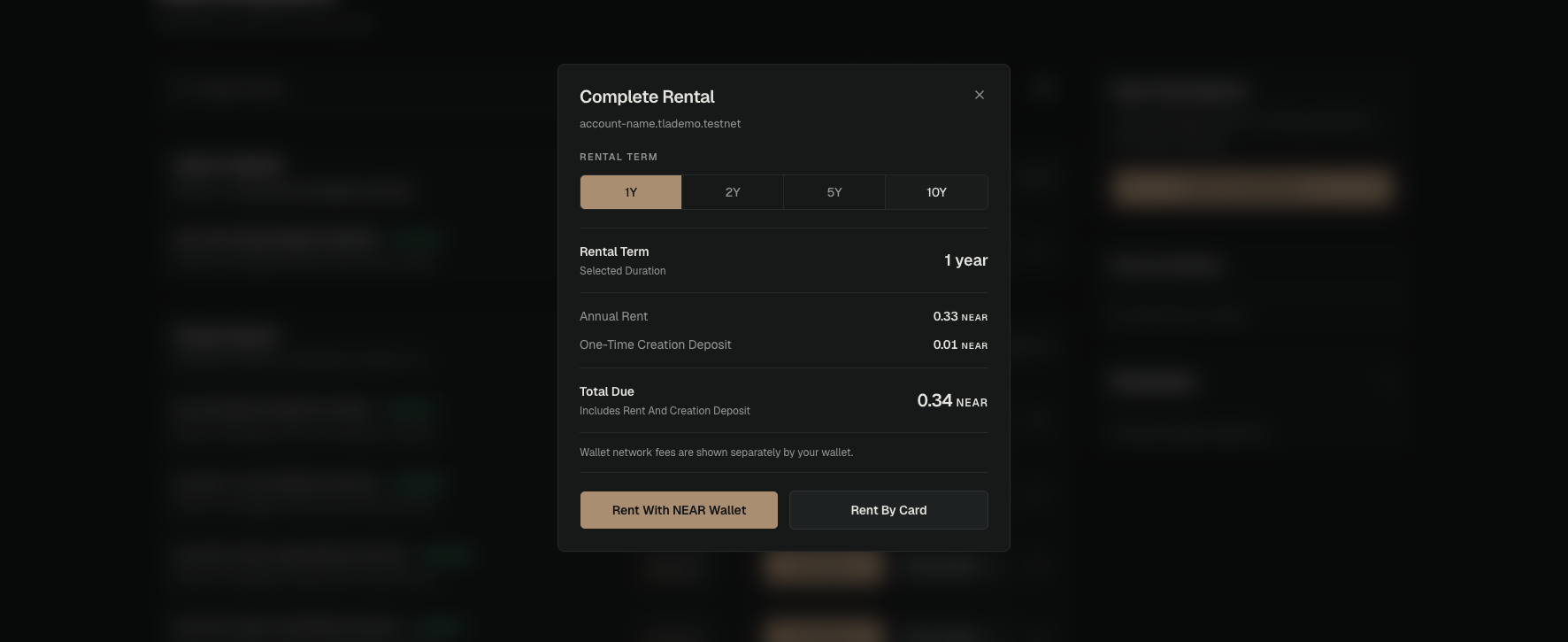
Choose How to Pay
| Payment method | When you can use it | What happens |
| NEAR wallet | Rentals of 1, 2, 5, or 10 years | Your wallet asks you to approve one payment for each year. |
| Card | Eligible one-year rentals | The card pays for the rental order. You cannot use a card for longer rentals or marketplace purchases. |
For a multi-year rental, you prepay each year. Your wallet asks you to approve a separate transaction for every year in the rental period.
What Happens Next
Your rental gives you control of a real NEAR account at the selected address for the rental period, not just the name.
The rented account does not have its own private key or seed phrase. Open Portfolio through your ownership account to view and manage all your rentals.
Set up recovery on the ownership account to protect all of them. Read Accounts & Ownership for a clear explanation of control, renewal, and account limits.
Read Pricing, Renewals & Expiry for current prices and what happens when a rental ends.