Opening New TLAs
A Top Level Account, or TLA, is the part after the dot in a NEAR account name, such as .degen in alice.degen. When a TLA is open to the public, anyone can search for and rent an available name under it.
Request to Open a New Top Level Account
If the TLA you want is not open, you can ask the House of Stake to open it.
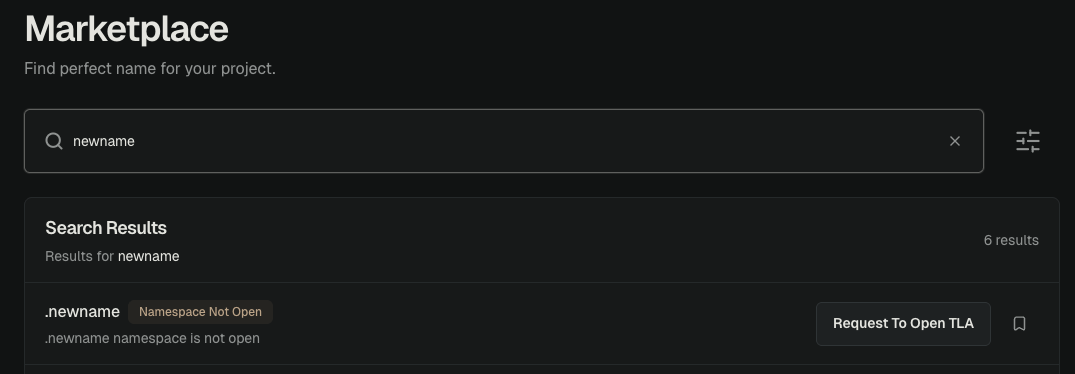
- Search for the TLA. Open NEAR Accounts and enter a name such as
.degen. - Choose Request To Open TLA. This option appears when the TLA is not open.
- Check the TLA. Make sure the value in Top-Level Namespace (TLA) is correct.
- Submit the request. Choose Submit TLA Request.
- Check the result. The request should show Queued For House Of Stake's Next Monthly Review.
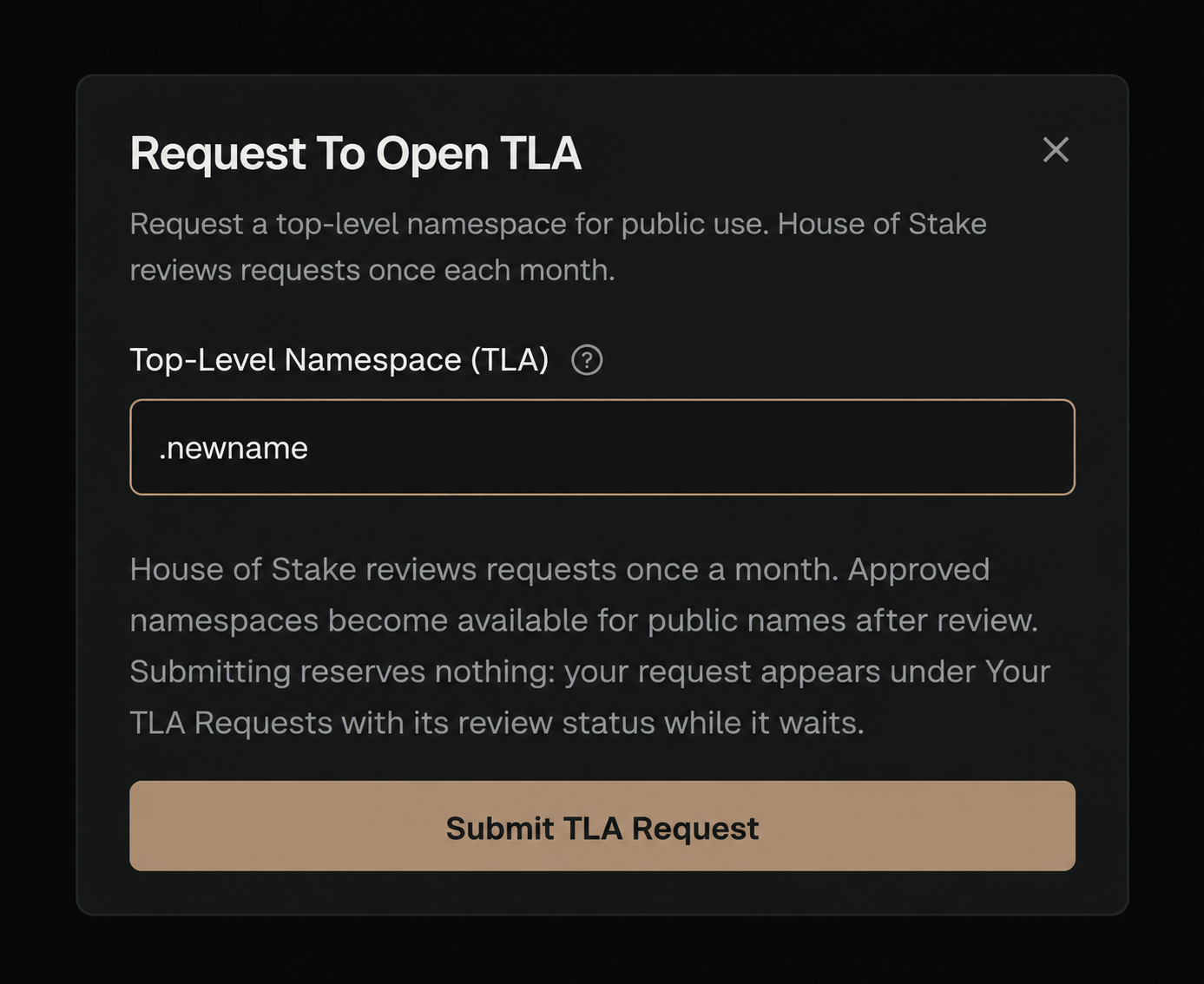
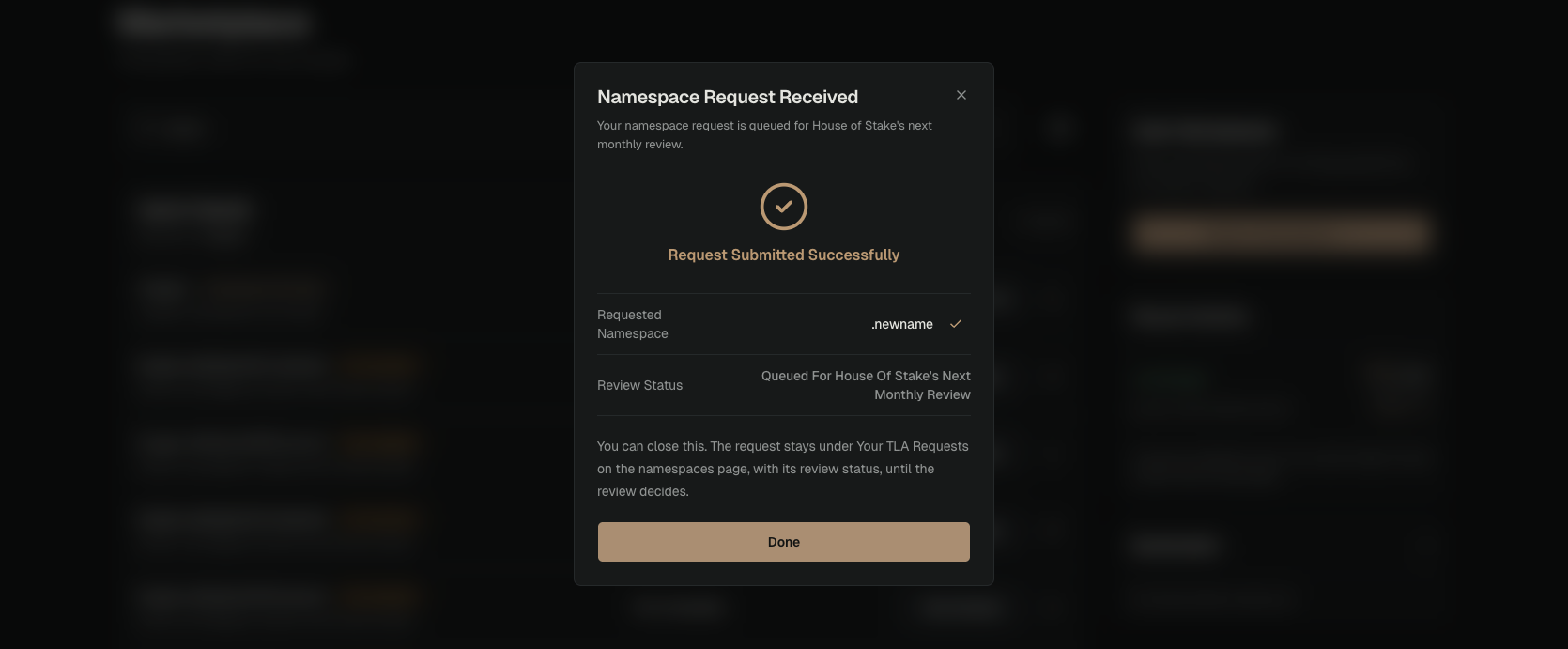
Submitting a request is free. A request does not reserve the TLA or guarantee approval.
Track the request under Open Namespaces → Your Requests.
Name Rules
A TLA must follow these rules:
- Use 2 to 64 characters, not counting an optional dot at the start.
- Use lowercase letters, numbers, dashes, or underscores.
- Do not start or end with a dash or underscore.
- Do not repeat dashes or underscores.
NEAR Accounts changes uppercase letters to lowercase.
The House of Stake may review some names more closely. These include very short names, numbers, country names, and high-value company names.
What Happens After You Submit
- The request appears under Your TLA Requests.
- The House of Stake reviews requests once each month.
- An approved TLA enters a future monthly release.
- People can rent names under it after the TLA opens.
Approval does not promise a release date. It also does not give the person who submitted the request special rights to names under the TLA.
Want a TLA for Your Business?
The public request process above opens a TLA for anyone to use. It does not give one business exclusive control.
If you want to rent or own a TLA for your business, contact us on Telegram. The House of Stake reviews business requests case by case. The current NEAR Accounts interface does not have a self-service business application.